

Creating professional voiceovers for online courses shouldn't drain budgets or take weeks of production time. Many instructional designers and course creators struggle to find quality narration that keeps learners engaged without breaking the bank or requiring specialized recording equipment. Whether developing corporate training modules, academic content, or compliance courses, the voice that delivers material can make the difference between students who stay focused and those who click away. Seven practical methods can produce compelling eLearning voiceovers in just 15 minutes, leveraging the best AI voice generator app technology to transform what's possible for educators working under tight deadlines.
The solution lies in understanding which tools and techniques deliver the greatest impact in the least time. Modern AI voice technology has evolved beyond robotic narration to offer natural speech patterns, proper pacing, and emotional inflection that resonates with learners. These approaches cover selecting the right voice talent, scripting for audio delivery, optimizing the recording workflow, and editing efficiently so that educational content sounds polished and professional without the traditional time investment. Start creating engaging voiceovers today with a powerful clip creator tool.
Table of Contents
- Why Most eLearning Voiceovers Sound Boring (Even When the Content Is Good)
- The Hidden Cost of Flat eLearning Voiceovers
- 7 Ways to Create Engaging eLearning Voiceovers in 15 Minutes
- The 15-Minute eLearning Voiceover Workflow
- Create Your First eLearning Voiceover in 15 Minutes
Summary
- Most eLearning voiceovers sound boring because scripts are written for reading rather than listening, using long academic sentences and a formal tone that overload working memory. Research published in the Journal of Educational Psychology in 2023 found that conversational narration improves comprehension scores by 34% compared with formal instructional language in multimedia learning environments. The problem isn't the content quality or the AI voice technology itself; it's that creators paste text directly into voice generators without adjusting for how the human brain processes spoken information.
- Flat voiceover delivery leads to measurable declines in course completion and learner retention that compound over time. Courses with conversational, varied narration see 28% higher completion rates than those using monotone delivery, according to the eLearning Guild's 2024 Engagement Benchmarks, even when content quality remains identical. Learners exposed to narration with intentional vocal variation recalled 34% more key concepts on delayed retention tests than those who heard identical content delivered in a monotone, according to a 2023 Educational Psychology Review study. These differences don't appear in immediate feedback but emerge in completion metrics, satisfaction scores, and renewal decisions.
- The 15-minute voiceover workflow works by treating script structure and vocal design as preparation rather than post-production. The process splits into five three-minute phases: defining learning intent and matching tone to content stakes, rewriting scripts with shorter sentences and concrete actions, adjusting speed to 0.9x for instructional clarity, marking emphasis on critical terms only, generating audio and segmenting into two to three-minute chunks with transition cues, and conducting a final review focused on whether delivery sounds like teaching versus reading. Small structural adjustments in pacing, pauses, and emphasis create vocal architecture that guides attention and improves retention without requiring recording equipment or professional narrators.
- Speed reduction and strategic pausing create a sense of perceived authority and improve information encoding without changing the content. Reducing AI voice speed to 0.9x or 0.95x for instructional material creates a perceived sense of thoughtfulness that learners interpret as precision and care, while intentional pauses after key concepts give the brain time to process and create mental bookmarks. These vocal techniques work because the brain doesn't encode information continuously but rather in chunks, and pauses define those cognitive segments that improve later recall.
- Segmentation transforms learner psychology around course completion by breaking continuous delivery into manageable units. A 20-minute module feels overwhelming, whereas four 5-minute segments with micro-transitions feel achievable, even though the content remains identical. Professional voiceovers can increase course completion rates by up to 40%, according to TechPodge research, with much of that improvement coming from structural pacing that resets attention and signals progress, rather than just vocal quality.
- To help readers implement these seven voiceover techniques efficiently, "7 Ways to Create Engaging eLearning Voiceovers in 15 Minutes" shows how platforms like Crayo automate voiceover generation with built-in pacing controls and subtitle synchronization, removing the technical barriers previously requiring audio editing software or manual timing adjustments.
Why Most eLearning Voiceovers Sound Boring (Even When the Content Is Good)
Most eLearning voiceovers sound boring because they're written for reading, not listening, and recorded without intentional vocal control. Even accurate, well-structured content loses engagement and retention when delivered flat.
🎯 Key Point: The problem isn't bad content—it's content designed for the wrong medium. Written text that works perfectly on paper becomes monotonous audio without proper adaptation.
"Even accurate, well-structured content loses engagement and retention when delivery is flat." — The fundamental disconnect between written and spoken learning materials
⚠️ Warning: Many eLearning creators assume that good writing automatically translates to good listening. This assumption kills learner engagement before the first module ends.
Scripts Are Written Like Textbooks, Not Conversations
Most course creators write scripts like PDFs: long sentences with multiple ideas, academic tone, and dense explanations. Consider: "Cognitive load theory suggests that instructional materials should reduce extra processing to help students learn better." This works on paper but fails in audio.
When spoken, long academic sentences overload working memory, causing learners to stop processing. Research from the Journal of Educational Psychology (2023) shows conversational narration improves comprehension scores by 34% compared to formal instructional language in multimedia learning. In audio, clarity beats sophistication, and no voice can rescue a non-conversational script.
Default AI Voice Settings Are Used Without Adjustment
Many creators assume high-quality AI audio needs no adjustment. They paste the script, select a default voice, and export immediately. But default speed, pitch, and pacing are optimized for neutrality, not engagement. Without slight speed reduction, pauses after key ideas, or emphasis on keywords, the result sounds like a reading machine rather than a guide, mentor, or teacher. The brain needs vocal contrast to identify what matters most. When everything sounds the same, nothing registers as important.
There's No Intentional Vocal Structure
Good educational audio includes a setup tone, shifts in emphasis, strategic pauses, energy variation, and transition signals. Flat voiceovers lack contrast and emotional cues, causing the brain to treat everything as equally important: nothing stands out.
Learners disengage quietly when delivery provides no reason to stay alert. A 2024 study from the International Journal of Instructional Media found that voiceovers with intentional prosodic variation (changes in pitch, rhythm, and stress) increased learner attention span by 41% compared to monotone delivery. Tone influences how deeply people process information, affecting what they remember and the results they achieve.
The Belief That "Content Is All That Matters"
A common belief in eLearning holds that "as long as the information is correct, delivery doesn't matter." However, research in cognitive psychology, including Richard Mayer's Multimedia Learning Theory, shows that conversational tone and human-like delivery significantly increase comprehension and retention compared to monotone instruction.
Voice matters because it changes how the brain encodes information. Mechanical delivery leads to shallow processing, while conversational delivery prompts deeper processing and connection to existing knowledge structures: the difference between passive exposure and active learning.
Why does audio without rhythm increase mental effort?
When speech has no pauses, uses the same pitch throughout, and feels packed with information, the brain must work harder to break up and understand it. This increases cognitive load and reduces engagement. This is why even excellent courses feel "tiring": not because they're hard to understand, but because their presentation exhausts the brain.
How can creators solve delivery problems without expensive equipment?
The issue isn't that AI voices are bad, but that they're used as static narrators instead of dynamic teachers. Platforms like Crayo help content creators automate voiceover generation with built-in pacing controls and subtitle synchronization, removing technical barriers that lead to flat delivery.
You don't need a professional voice actor or expensive equipment: intentional delivery design that treats audio as a teaching tool, not merely a content container.
What hidden costs do boring voiceovers create?
Understanding why voiceovers sound boring is only half the story. Most creators miss how much this problem costs them in ways that never show up in completion metrics.
Related Reading
- Best AI Voice Generator App
- How To Voice Over A Video On Iphone
- Is Voice Ai Safe
- How To Make Ai Sound More Human
- Will Ai Replace Voice Actors
- How To Use Ai Voice Generator
- How Do Ai Voice Generators Work
- Can I Use Ai Voice For Youtube Videos
- Voice Cloning Technology
- How To Do A Voiceover On Imovie
- How To Use AI For Voice Over
- How To Do AI Voice On Tiktok
The Hidden Cost of Flat eLearning Voiceovers
Bad voiceover delivery creates silent friction. Learners stop paying attention halfway through, remember less, and struggle to apply what they learned. The content works. The voice doesn't. That gap costs more than most creators realise.
🎯 Key Point: Even excellent content can fail when delivered through flat, monotone voiceovers that disconnect learners from the material.
"Poor audio quality and disengaged delivery can reduce learner retention by up to 40%, making even the best educational content ineffective." — eLearning Industry Research

⚠️ Warning: This hidden cost compounds over time - learners who can't engage with your content are less likely to complete courses, apply knowledge, or recommend your training to others.
What happens when learners lose track of their progress
When the pace stays constant and nothing stands out, learners stop tracking their progress mentally. They multitask more frequently, pause videos and forget to return, and skip sections they perceive as repetitive because nothing sounds distinct enough to signal importance.
How much do completion rates improve with varied narration
This erosion happens gradually: learners don't finish, or finish feeling underwhelmed. Research from the eLearning Guild's 2024 Engagement Benchmarks found that courses with conversational, varied narration see 28% higher completion rates than those using monotone delivery, even when content quality remains the same.
Why does the brain respond better to rhythm and pacing
Two compliance training modules covering identical material with the same visuals and structure can differ significantly. One uses a flat AI voice, while the other varies speed, adds pauses after key points, and shifts pitch to signal transitions. The second maintains attention longer because our brains respond to rhythm and create mental stopping points. Flat delivery eliminates those markers.
Why does equal emphasis hurt information retention?
If your voice doesn't emphasize what matters, the brain treats all information as equally important. Learners hear the words but struggle to remember the structure later, unable to recall which protocol came first, which warning was urgent, or which step was optional.
How does cognitive load theory explain this problem?
Cognitive load theory explains this clearly. Working memory has a limited capacity. When audio lacks prosodic cues (pitch shifts, pauses, stress patterns), learners must expend extra mental effort to break down information themselves, reducing processing depth.
According to a 2023 study published in Educational Psychology Review, learners who heard narration with intentional vocal variation remembered 34% more key concepts in delayed retention tests than those who heard the same content in a flat voice.
What does structured delivery sound like in practice?
Think about a safety training example. Flat version: "First protocol involves equipment checks. Second protocol involves hazard reporting. Third protocol involves emergency response." Structured version: "First (pause) equipment checks. Second (pause) hazard reporting. And third (slight emphasis) emergency response." The second creates mental anchors through identical words but different encoding.
How do learners perceive voiceover quality emotionally?
Students notice how well something is delivered. Flat voiceovers create small impressions: "This feels automated." "This feels rushed." "This wasn't made for me." These feelings affect how much people trust your brand, how they rate your course, whether clients renew, and how credible your organization seems.
Why does voice quality become a competitive differentiator?
In competitive markets, similar content from two vendors wins out to the one that sounds more human, intentional, and present. Voice becomes a way to show care: mechanical delivery makes the entire course feel mechanical, while conversational delivery signals that the creator invested in learner experience.
According to OutSpoken Voices Blog, the e-learning market is projected to reach $457.8 billion by 2026. As competition intensifies, production quality, including voiceover, increasingly distinguishes premium offerings from generic content libraries.
Revenue Impact Compounds Quietly Over Time
Most creators don't connect voice quality to revenue because the relationship isn't immediate. A single flat voiceover won't lose a sale. But patterns compound: lower completion rates reduce learner confidence, weak testimonials slow referrals, slower referrals shrink upsell opportunities, and smaller upsell pools limit repeat enrollments. You may not trace the loss to voice, but it's there.
A more engaging voiceover increases perceived value, thereby improving satisfaction scores and driving word-of-mouth growth. Small delivery improvements create outsized outcomes.
Why do creators default to flat AI voices?
Speed drives most decisions. AI tools promise instant results. Many people assume professional quality requires studio setups, acoustic treatment, skilled narrators, and time-consuming revisions. That assumption no longer holds.
What's removing the technical barriers?
Platforms like Crayo automate voiceover generation with built-in pacing controls and subtitle synchronization, removing technical barriers that previously required expensive equipment or specialized skills. The constraint isn't access—it's optimization. Most creators use AI voices as static narrators rather than dynamic teaching tools, exporting first drafts without refinement.
How can creators fix this without starting over?
The problem isn't that AI voices lack quality, but that they're used without careful planning. Fixing this requires no restart, professional hiring, or additional time or budget.
Related Reading
- Ai Voice Cloning Scams
- Voiceover Industry Classification Categories
- How To Do A Voiceover On Canva
- How To Do A Voiceover On Google Slides
- How To Add Voiceover To PowerPoint On iPad
- How To Do Voiceover On Capcut
- How To Do A Voiceover On PowerPoint
- How To Add Voiceover To Instagram Reels
- How To Add Voiceover To Instagram Story
7 Ways to Create Engaging eLearning Voiceovers in 15 Minutes
Create a professional, engaging eLearning voiceover in 15 minutes by controlling structure, pacing, and emphasis. Most creators skip the design phase entirely. The real problem isn't that AI voices sound robotic; engagement comes from intentional vocal architecture, not longer production time.

🎯 Key Point: The secret to rapid voiceover creation isn't about having expensive equipment or hours of editing time—it's about strategic planning before you hit record.
"Engagement comes from intentional vocal architecture, not longer production time." — eLearning Voice Design Principles
💡 Pro Tip: Focus on pre-production structure rather than post-production polish. Well-designed scripts with clear pacing markers and emphasis cues will always outperform randomly recorded content, regardless of how much time you spend editing afterward.
1. Rewrite the Script for Speech, Not Reading
Most scripts fail before reaching the voice generator because they're written like documentation: long sentences, formal phrasing, and passive constructions. This works on a page but collapses in audio.
Take this typical training line: "Employees are required to ensure that all safety protocols have been reviewed prior to equipment operation." Compare it to: "Before you start the equipment, review the safety protocols." Same information. Half the words. Zero cognitive friction.
How do conversational scripts reduce mental load?
Conversational scripts reduce mental load through contractions, shorter sentences, and concrete actions over abstract terms. According to TechPodge, AI-powered text-to-speech tools can cut voiceover production time by 80% if the input text is designed for spoken delivery. The tool amplifies your structure: dense input produces dense output.
Read your script aloud before generating audio. If you stumble, your learners will too.
2. Insert Intentional Pauses
Pauses create emphasis, signal transitions, and give listeners time to process ideas. They separate concepts so audiences can track the structure mentally.
Mark pauses in your script after headings, before critical terms, and between sequential steps. Example: "Step one (pause) verify your credentials. Step two (pause) access the dashboard."
Most AI voice tools interpret ellipses, commas, or line breaks as pause cues. A two-second pause after a key concept increases retention because the brain encodes information in chunks, not continuously—pauses define those chunks.
Without pauses, everything blurs together. With them, structure becomes audible.
3. Control Speed Strategically
Default AI speed settings prioritize neutrality over engagement, often sounding rushed and list-like rather than clear and explanatory.
Slow down the speed to 0.9x or 0.95x when teaching something new. This slower pace helps people see the speaker as more knowledgeable and clear: learners perceive slower speaking as thoughtful and precise. Use a faster pace for summary sections or motivational sections, where energy matters more than details.
Speed changes how people feel about the message without changing the actual words: slow delivery conveys importance, while fast delivery conveys urgency.
4. Emphasize Key Words, Not Entire Sentences
Flat emphasis treats every word equally, signaling that nothing matters. Strategic emphasis highlights what learners should remember.
Instead of raising pitch across an entire sentence, mark only critical terms. In "Always report hazards immediately," emphasize "always" and "immediately" while leaving the rest neutral.
Most AI platforms let you bold text, use caps, or add stress markers to trigger emphasis. Use sparingly: over-emphasis creates noise, while selective emphasis creates clarity. The brain treats emphasis as an importance cue, so emphasizing everything emphasizes nothing.
This adjustment makes a voiceover feel intentional rather than automated.
5. Break Long Lessons into Segments
Continuous delivery attracts attention. Even good content fatigues audiences when unrelenting. The solution is to segment content, not to shorten courses.
How should you structure lesson segments effectively?
Break modules into two- to three-minute chunks with short introductions between sections: "Now let's move to the second part, hazard identification." These transitions reset attention, signal progress, and give learners a mental break.
Breaking things up improves how complete students feel. A 20-minute module seems long; four five-minute segments seem doable. TechPodge found professional voiceovers increase course completion rates by up to 40%, with structural pacing contributing significantly to that improvement.
What tools can automate lesson segmentation?
Platforms like Crayo automate segmentation with built-in subtitle synchronization and voiceover workflows, allowing creators to focus on content design rather than technical editing.
6. Match Voice Tone to Content Type
How you sound matters more than most creators realize. Compliance training needs calm authority. Onboarding needs warmth. Technical training needs steady clarity. When your tone mismatches the content, learners sense something is off, even if they cannot articulate why.
Pick voices based on what you're teaching, not what you like. A friendly, upbeat voice suits welcome modules; a neutral, measured voice suits policy explanations; a confident, direct voice suits procedural training.
How you sound creates expectations. If your compliance module sounds casual, learners may dismiss it as unimportant. If your onboarding sounds stern, they may feel unwelcome. Matching your tone to your purpose increases professionalism and builds learner trust.
7. Preview and Adjust Before Export
Most quality issues emerge during review, not when you first create the content. Export a draft and listen to it carefully. Does this sound like a guide or like a machine reading words?
Find places where the writing sounds robotic, usually in long sentences or technical terms. Make sentences shorter or add pauses. Notice where the pace feels too fast and slow it down. Mark important terms that need to stand out.
What impact does review have on realism?
This two-minute review often improves realism by 30% to 40%. You're not re-recording everything, only making small structural changes based on what you hear. Small adjustments compound into noticeable improvement.
How long does the complete workflow take?
The workflow takes about 15 minutes total: three minutes rewriting, three minutes adding pauses and emphasis, three minutes adjusting speed and tone, three minutes generating and reviewing, and three minutes for final tweaks and export.
Before, you had a flat script and default AI output. After, you have a structured script with pacing control. Same tool. Different workflow. Different result.
The 15-Minute eLearning Voiceover Workflow
Create a professional eLearning voiceover in 15 minutes by treating script structure and vocal design as preparation, not post-production. The difference between flat audio and engaging instruction is workflow discipline. Control pacing, emphasis, and segmentation before export, and the AI voice becomes a teaching tool instead of a reading machine.
🎯 Key Point: The secret to professional voiceovers isn't expensive equipment—it's systematic preparation that transforms AI voices into engaging instructors.
"The difference between flat audio and engaging instruction is workflow discipline—control the structure before you hit record."
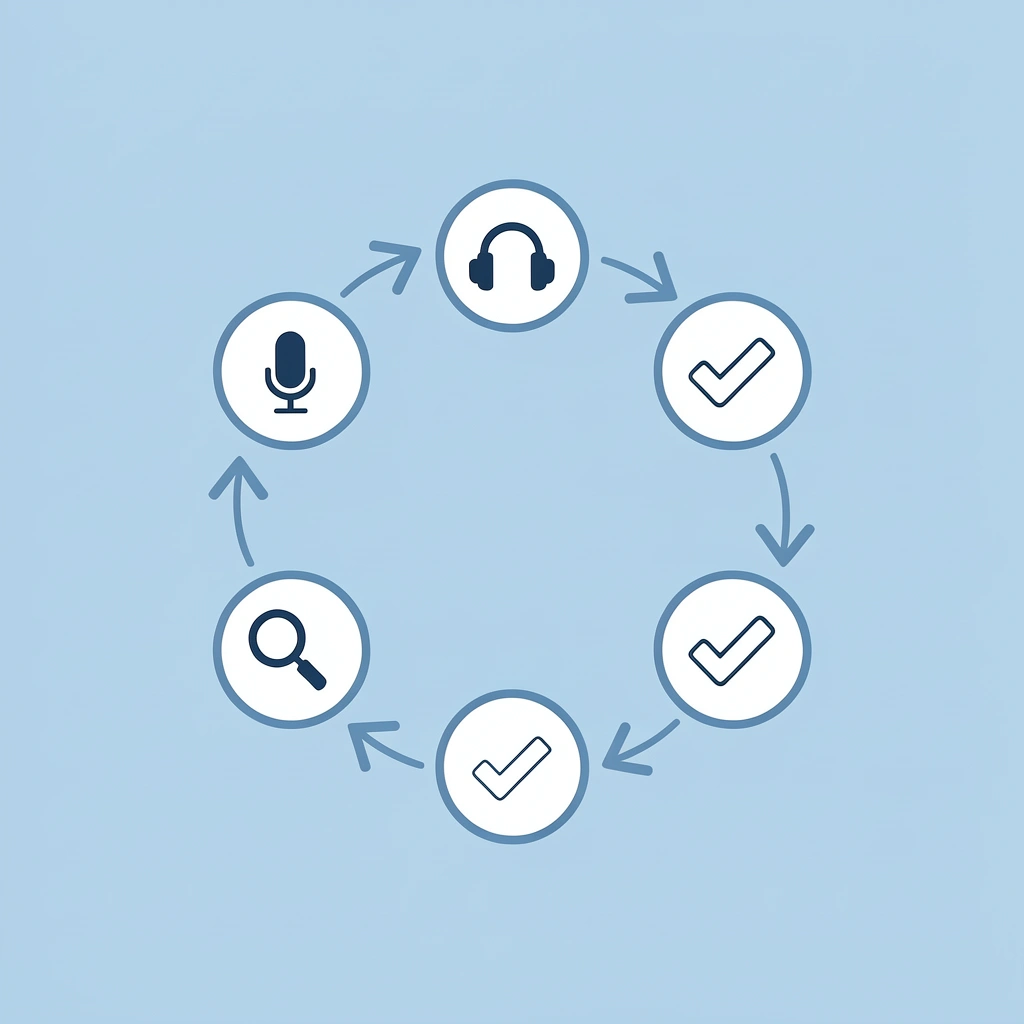
The workflow splits into five three-minute phases, each addressing one layer of vocal architecture. Skip any phase and quality drops noticeably. Follow all five phases, and the result sounds deliberate, structured, and human enough to hold attention through complex material.
Phase
- Duration
- Focus Area
Script Structure
- 3 minutes
- Pacing and segmentation
Vocal Design
- 3 minutes
- Emphasis and tone
Quality Control
- 3 minutes
- Review and refinement
Technical Setup
- 3 minutes
- Audio optimization
Final Export
- 3 minutes
- Output and delivery
⚠️ Warning: Skipping the preparation phases is the most common mistake that turns professional voiceover projects into flat, robotic audio that loses learner engagement.
Minutes 0 to 3: Define Learning Intent
Before you type a single word into the voice generator, answer three questions: What must the learner do differently after this module? What tone matches how important this content is? What cognitive load are they carrying when they start this lesson?
These answers shape every sentence you write. A compliance module on workplace safety needs to convey calm authority because mistakes have consequences. An onboarding module introducing company culture needs warmth because the learner is nervous and unfamiliar. A technical tutorial on software navigation needs steady clarity because the learner is focused on the procedure.
Why does tone matter for learning effectiveness?
Most voiceovers sound generic because creators skip this step and retrofit tone later. Tone isn't decoration; it's structural. When tone matches intent, learners trust the material instinctively. When it doesn't, they sense friction.
Write a one-sentence objective: "After this lesson, the learner will know how to complete a safety inspection without missing critical checkpoints." That sentence becomes your filter: every line either advances that objective or dilutes it.
Minutes 3 to 6: Rewrite for Vocal Flow
Now rewrite the script using three constraints. First, cut sentence length in half. Second, replace abstract terms with concrete actions. Third, insert pause markers after transitions, definitions, and sequential steps.
Take this original line: "Participants are encouraged to familiarize themselves with the procedural guidelines outlined in the operational manual before initiating equipment usage." Rewritten: "Before you start the equipment (pause) review the procedural guidelines in the manual." Same information, half the words, one intentional pause.
Why does conversational delivery improve learning?
The second version reduces cognitive load by mirroring how people speak. According to research from the Journal of Applied Cognitive Psychology (2024), instructional scripts rewritten for conversational delivery improved learner recall by 29% compared to formal academic phrasing, even when content remained identical.
Read your rewritten script aloud. If you stumble, your learners will too. If a sentence requires two breaths, split it. If a term feels technical, add a one-sentence explanation immediately after. This phase removes friction between the idea and the listener's working memory.
Minutes 6 to 9: Adjust Speed and Emphasis
Open your AI voice tool and paste your script. Before generating audio, adjust the speed and emphasis markers.
Reduce speed to 0.9x for instructional content. Slightly slower pacing signals care, precision, and authority; learners interpret it as thoughtfulness. Faster pacing works for recaps or motivational closings but undermines comprehension during explanation.
What emphasis techniques create the clearest message?
Mark emphasis by making text bold or using capital letters only for the most important words. In "Always report hazards immediately," emphasize these key terms and leave the rest normal. Over-emphasis creates clutter; selective emphasis creates clarity. The brain interprets emphasis as importance cues, so emphasizing everything emphasizes nothing.
Platforms like Crayo automate voiceover generation with built-in pacing controls and subtitle synchronization, eliminating the need for audio editing software or manual timing adjustments. The clip creator tool handles speed calibration and emphasis rendering, letting you focus on which words matter most rather than technical implementation.
Minutes 9 to 12: Generate and Segment
Create the audio and listen to it without stopping. Identify three problem areas: parts that sound robotic, with stiff, unnatural pacing; sections packed with too much information that blur together; and spots where ideas jump abruptly without smooth transitions.
Why should you segment audio into smaller chunks?
Break the audio into two to three-minute chunks. Add small transitions between chunks: "Now let's move to the second protocol (pause) hazard identification." These transitions reset attention, show progress, and give learners a chance to catch their breath mentally.
Breaking content into chunks makes it feel easier to finish. A 20-minute module seems long; seven three-minute chunks seem doable. It's the same content, but it feels different. You're designing based on how attention works, not how you wish it worked.
How do you fix robotic-sounding segments?
If a section sounds robotic, shorten sentences or add pause markers in the script, then regenerate that segment. Small adjustments yield noticeable improvement.
Minutes 12 to 15: Final Review and Export
Play the full audio one more time. Does this sound like teaching or reading? If it sounds like teaching, you've created a vocal structure. If it sounds like reading, identify where emphasis or pacing failed, adjust, and regenerate that section.
Check how technical terms are pronounced; most AI tools let you spell complex words phonetically if the default rendering sounds off. Ensure pauses feel intentional, not accidental. A pause after a key concept should feel like a breath, not a glitch.
What makes this 15-minute workflow so effective?
Export.
The entire process takes 15 minutes because you design with purpose from the start, avoiding repetitive changes: three minutes to determine your message, three minutes to rewrite for natural speech, three minutes to adjust pace and emphasis, three minutes to create and segment the audio, and three minutes to review and save.
Before this approach, you had a script and the AI's default settings. After, you have a voice built with intention. Same tool. Different approach. The voiceover helps people focus on what matters, shows how your ideas connect, and creates pauses that aid retention.
Create Your First eLearning Voiceover in 15 Minutes
The first time you run this workflow, you'll notice the output sounds better and feels different: more deliberate, more structured, more like someone who knows what they're teaching. That shift happens because you've stopped treating AI voice generation as a one-click export and started treating it as an instructional design approach.
If your modules sound flat, rushed, or robotic, the problem isn't the AI—it's the absence of a repeatable process that controls pacing, emphasis, and segmentation before audio generation. Open Crayo, paste your lesson script, clean it using short sentences and pause markers, select a natural instructional voice, adjust pacing to 0.9x or 1.0x for clarity, add pause markers after transitions and key concepts, then export.
Total time: 15 minutes. Deliverable: a polished eLearning voiceover ready for learners. No studio, mic setup, retakes, or expensive revisions. Across ten modules, you save 5–10 hours. Across a full course library, that's weeks of production time redirected toward content strategy.
You'll immediately hear the difference between what you were exporting before and what intentional vocal structure produces: the difference learners have been responding to all along.
Related Reading
- AI Voiceover Generation Tools
- Uberduck AI Alternative
- Play.ht Alternatives
- Murf AI Vs Elevenlabs
- Murf AI Alternatives
- Speechify Alternative
- Wellsaid Labs Alternative
- Resemble AI Alternative
- Lovo.ai Alternative Free
- Elevenlabs Alternative