

The race to dominate video automation has never been fiercer, and creators now face a tough choice between two powerhouse AI video generators: Sora 2 and Veo 3. Both platforms promise to transform text into stunning visual content, but which one actually delivers for your workflow? This article breaks down 5 key differences between Sora 2 and Veo 3 that will help you make the right decision for your content creation needs, from rendering speed and visual quality to prompt handling and output flexibility.
Understanding these distinctions matters, but creating consistent video content still requires time and effort. That's where Crayo's clip creator tool comes in, helping you streamline your production process by turning your insights about AI video tools into actual clips that engage your audience. Whether you're testing Sora 2's capabilities or exploring Veo 3's features, having a reliable system for producing and sharing your findings keeps your content calendar full and your audience informed.
Table of Contents
- Why Content Creators Struggle to Choose the Right AI Video Tool for Consistent Production
- The Hidden Cost of Switching Between AI Video Tools Without a Structured Workflow
- 5 Differences Between Sora 2 and Veo 3 Creators Should Know
- The Workflow Creators Use to Produce AI Videos Faster With Sora 2 and Veo 3
- Produce AI Videos Faster Using Crayo
Summary
- Most creators lose hours switching between AI video tools, not because the tools lack features, but because each platform change forces them to rebuild prompts, adjust pacing, and manually coordinate exports across disconnected systems. Charter reports that 23% of workers now use 11 or more AI tools, creating context-switching overhead that drains focus and extends production timelines instead of compressing them.
- Sora 2 generates longer, cinematic scenes that require detailed prompts and extensive pacing corrections, while Veo 3 produces shorter, segmented clips optimized for narration-first workflows. This architectural difference becomes critical around the 60-second mark, where Sora 2 projects require exponentially more timeline adjustments, while Veo 3 projects scale linearly with predictable correction cycles per clip.
- Workflow fragmentation costs more than generation time. The hidden multiplier appears in the 15 minutes spent rewriting prompts for different formats, the 10 minutes exporting and reformatting between tools, and the 20 minutes correcting narration sync issues because visuals were generated in an isolated system that doesn't communicate with your editing platform.
- Batch production reveals which tool supports sustainable output velocity. Sora 2 demands individualized attention for each project, with unique correction requirements, while Veo 3 enables template-driven production, where prompt structures and correction patterns transfer across multiple videos, compressing what would take 15 hours into 8 through process refinement rather than custom problem-solving.
- Structured workflows compress production by separating execution into distinct stages, in which scripting, prompting, narration, visuals, and corrections run independently. When a single correction never forces a complete project rebuild, creators spend time refining content rather than managing tool transitions, and segmented scene generation reduces the gap between fixing a 10-second hook and restarting a 90-second video.
Crayo's clip creator tool addresses workflow fragmentation by centralizing scripting, AI narration, scene segmentation, subtitle automation, and export formatting in a single interface, eliminating the cross-platform coordination cycles that can extend production from 30 minutes to multiple hours.
Why Content Creators Struggle to Choose the Right AI Video Tool for Consistent Production
Most content creators struggle to choose the right AI video tool because they compare AI features rather than workflow efficiency. The problem is not Sora 2 or Veo 3 themselves. It's production complexity across the workflow.
Creators Choose Tools Based on Visual Hype, Not Workflow Fit
When creators evaluate AI video tools, they fixate on cinematic quality, realism, and motion smoothness. They watch demo reels showcasing photorealistic scenes and advanced effects, then assume the tool with the most impressive visuals will automatically improve their production system.
According to Wyzowl, 91% of businesses use video as a marketing tool, making the pressure to adopt cutting-edge technology feel urgent. But stronger visuals don't automatically reduce prompt complexity, correction cycles, or pacing issues. The mechanism breaks down when creators switch AI tools, rewrite prompts, rebuild workflows, and restart production systems without asking which tool actually fits their existing process.
Better Visuals Create Longer Correction Loops
Higher-quality generation can still create longer correction loops, more regeneration, larger rendering timelines, and more production decisions. That increases workflow complexity. When you generate a scene with advanced AI, you might get stunning realism, but if the pacing doesn't match your narration or the visual style clashes with your brand, you're back to regenerating.
Small repetitive tasks like rewriting prompts, regenerating scenes, rebuilding formatting, and relearning workflows feel minor individually. But repeated across multiple tools, they compound into hours of additional production work.
Tool Switching Creates Operational Bottlenecks
I've watched creators test Sora 2 for one project, switch to Veo 3 for another, then bounce between editing systems and narration tools without a structured workflow. One creator described the experience of managing multiple AI tools as driving them "absolutely mad" because the mental load of switching contexts repeatedly created stress rather than efficiency.
When creators constantly switch between prompting, scene generation, narration adjustments, pacing corrections, formatting, and editing systems, the brain repeatedly reloads production logic across multiple tools. That's workflow overlap, and it reduces efficiency because the bottleneck becomes operational rather than creative. 86% of video marketers say video has increased traffic to their website, but traffic growth requires consistent publishing, which becomes difficult when production friction expands.
Consistency Breaks Under Tool Complexity
When creators produce YouTube explainers, Shorts, faceless content, educational videos, or cinematic AI content without a structured system, production becomes difficult to sustain consistently. That creates:
- Delayed uploads
- Unfinished projects
- Creator fatigue
- Inconsistent publishing
The familiar approach is to test multiple AI tools, compare outputs, and manually rebuild workflows whenever a tool changes. As production demands multiply and deadlines tighten, this approach fragments across different platforms. Important context from previous projects gets lost, response times range from quick iterations to full restarts, and execution stalls.
Workflow Bottlenecks Slow AI Video Production
Platforms like Crayo's clip creator tool centralize video production by automating subtitles, voiceovers, and clipping workflows, compressing creation cycles from hours to minutes while maintaining a consistent style across uploads.
The problem is not choosing between Sora 2 and Veo 3. The problem is that we manually rebuild production workflows every time the tool changes. When repetitive workflow tasks stay fragmented, execution expands. When creators use structured production systems, execution becomes more efficient. But the real friction isn't just about switching tools—it's about what happens to your time and focus when the workflow itself becomes the bottleneck.
Related Reading
- Video Automation
- How to Make Good Tiktok Videos
- Short Form Video Production
- Can Nano Banana Make Videos
- Common Uses of AI Video Generators
- How To Create Explainer Videos
- How To Create A Faceless YouTube Channel
- Can Perplexity Ai Create Videos
- How To Use Kling Ai For Videos
- How Long Can AI-Generated Videos Typically Be
- How To Make Faceless Tiktok Videos
The Hidden Cost of Switching Between AI Video Tools Without a Structured Workflow

Switching between AI video tools without structured workflows doesn't just slow production. It creates compounding friction that multiplies the time spent on coordination instead of creation. The bottleneck isn't the AI generation itself; it's the repetitive manual work of reformatting prompts, exporting files, correcting pacing mismatches, and rebuilding consistency across disconnected systems.
The Workflow Fragmentation Problem
When creators use Sora 2 for scene generation, Veo 3 for motion control, and separate tools for narration and editing, each transition requires manual coordination. Prompts written for one system don't transfer cleanly to another. Export settings differ. Pacing that worked in one tool breaks when moved to the next. What starts as "using the best tool for each task" becomes hours spent translating between platforms instead of producing content.
According to Charter, 23% of workers now use 11 or more AI tools. The promise was efficiency. The reality is context switching that drains focus and extends timelines. Every tool transition forces creators to rebuild mental models, relearn interfaces, and manually bridge gaps between systems that don't communicate.
Where Time Actually Disappears
The hidden multiplier isn't generation time.
- It's the 15 minutes of rewriting prompts to match a different format.
- The 10 minutes of exporting and reformatting between tools.
- The 20 minutes are spent correcting the pacing because the narration timing doesn't sync with the visuals generated in a separate system.
- The additional 20 minutes were spent rebuilding formatting conventions that didn't carry over.
One video becomes three hours of workflow management before a single frame reaches the upload stage. Creators often manage production through fragmented tools because that's how they started, adding new AI capabilities one at a time as they discovered them. As upload frequency increases and production complexity grows, those disconnected workflows compound. Important prompt variations get lost across platforms. Consistency breaks down because each tool operates in isolation. The creator spends more time managing tool transitions than improving content quality.
Why Structured Systems Compress Production Time
Platforms like Crayo centralize video generation, subtitle automation, voiceover integration, and clipping workflows in one system, eliminating the export-import-reformat cycles that fragment traditional multi-tool approaches. When production stages connect within a single workflow, creators build once and iterate fast instead of rebuilding coordination logic across disconnected platforms.
The real damage isn't just lost hours. Its production consistency is breaking down across uploads as creators constantly rebuild workflows rather than refine content. Unfinished projects pile up. Upload the schedule slip. Creator fatigue sets in not from making videos, but from managing the tools that are supposed to make video creation easier. But knowing workflow fragmentation creates friction only matters if you understand which specific tool differences actually affect production speed versus which ones just sound impressive in demo videos.
5 Differences Between Sora 2 and Veo 3 Creators Should Know
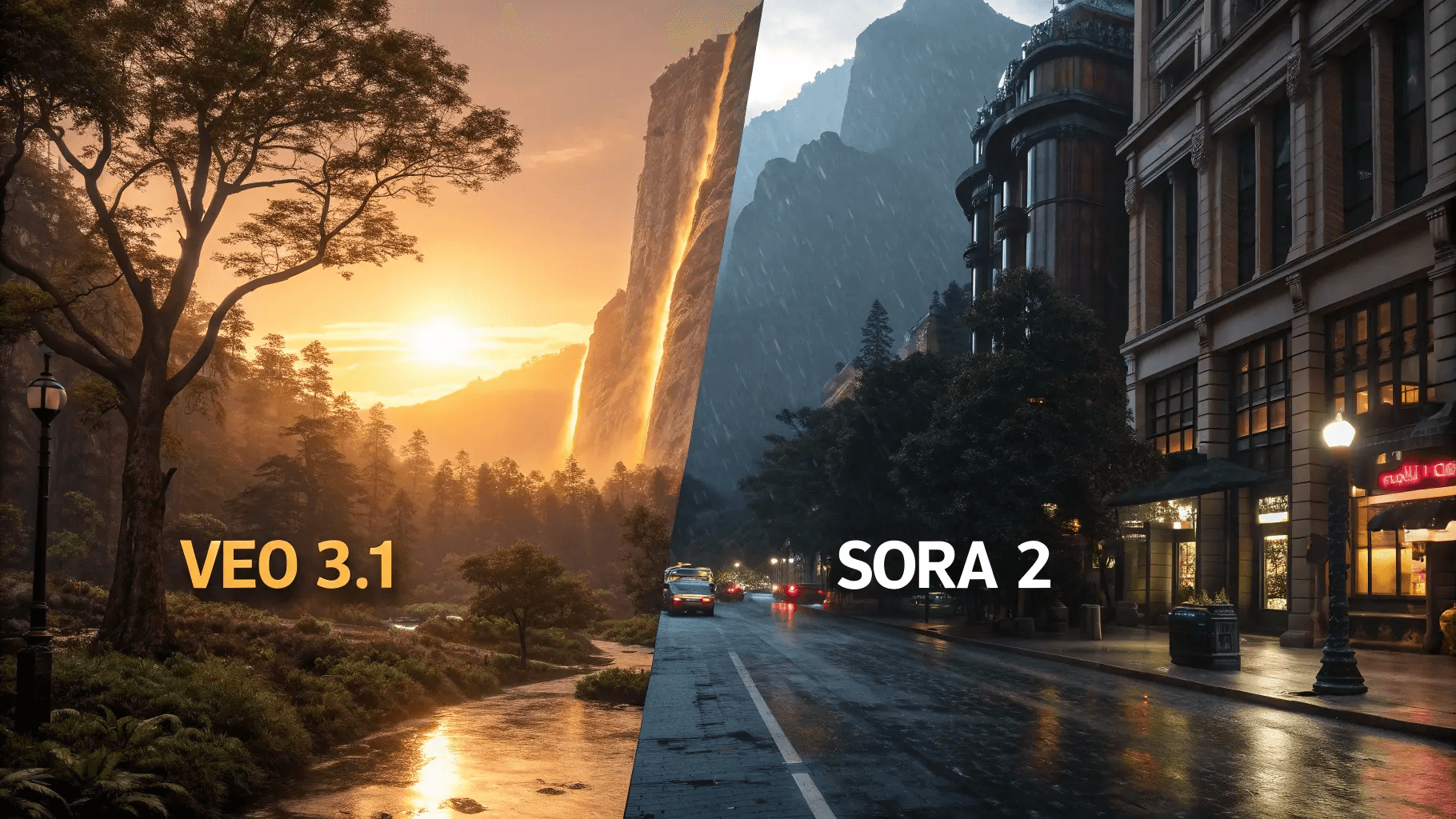
The real difference between Sora 2 and Veo 3 isn't which one renders sharper visuals. Which one lets you finish the video without having to rebuild your entire workflow halfway through? Visual quality matters, but production speed, correction cycles, and scalability determine whether you actually publish or just accumulate half-finished projects.
1. Scene Generation Architecture
Sora 2 prioritizes cinematic motion and visual depth. Each scene generation leans toward longer, more complex outputs with detailed camera movements and lighting transitions. Veo 3 optimizes for segmented generation, producing shorter clips faster with simpler motion profiles that align more naturally with narration-first workflows.
This architectural difference cascades through your entire production timeline. When you need a 90-second explainer video, Sora 2 might generate three 30-second scenes requiring extensive pacing adjustments to match your script. Veo 3 generates nine 10-second clips that snap into place with minimal correction. The first approach feels cinematic. The second approach ships on schedule.
2. Prompt Interpretation Models
Sora 2 responds best to detailed cinematic prompts. Describe camera angles, lighting conditions, movement arcs, and visual atmosphere in granular detail, and the system delivers impressive results. Veo 3 performs better with simplified, narration-aligned prompts that describe what happens rather than how it looks.
The pattern becomes obvious after your third regeneration cycle. You write a prompt for Sora 2: "Wide-angle tracking shot following a person walking through a sunlit forest, dappled light filtering through leaves, slow dolly movement maintaining subject in left third of frame." It generates something stunning that doesn't match your narration timing. You rewrite the prompt. You regenerate. You adjust again. With Veo 3, you write: "Person walks through forest." It generates a usable clip in a single attempt because the system interprets action rather than cinematography.
3. Correction Loop Complexity
Every AI video tool requires corrections. The question is how many layers deep those corrections go. Sora 2's emphasis on visual complexity means corrections often cascade. Fix the pacing, and the camera movement feels wrong. Adjust the motion, and the lighting transition no longer matches the next scene. Each fix creates a new misalignment.
Veo 3's simpler output structure reduces the depth of correction. When a clip doesn't work, you regenerate that specific segment without destabilizing adjacent scenes. The correction stays contained. After producing dozens of AI videos, you notice this difference most clearly in your timeline: Sora 2 projects accumulate nested correction layers that compound into hours of additional work, while Veo 3 projects resolve corrections in isolated 10-minute bursts.
4. Timeline Scalability Patterns
Short videos mask workflow inefficiencies. A 30-second clip with three scenes hides the friction that becomes unbearable at 90 seconds with nine scenes. Sora 2 excels at short, high-impact outputs where cinematic quality justifies longer correction cycles. Veo 3 maintains consistent production speed as timelines extend because its segmented generation model doesn't accumulate complexity at the same rate.
The scalability threshold appears around 60 seconds. Below that length, both tools feel manageable. Above it, Sora 2 projects require more timeline adjustments, narration realignments, and scene reconstructions. Veo 3 projects scale linearly. Add three more scenes, add three more generation cycles, and maintain the same correction-per-clip ratio. Production time remains predictable.
5. Workflow Integration Friction
Most creators don't use AI video generation in isolation. You're coordinating narration tools, editing platforms, subtitle automation, and export formatting. Sora 2's longer, more complex outputs create integration friction at every handoff point. Export a scene, import it into your editor, discover the pacing doesn't sync with your narration track, return to Sora 2, regenerate with adjusted timing, re-export, re-import.
Veo 3's shorter clips reduce handoff complexity. Each segment moves through your workflow independently. One clip fails? Regenerate that specific piece without disrupting the entire timeline. Platforms like the clip creator tool automate much of this coordination by handling narration, subtitles, and editing in a unified workflow, but when you're assembling outputs from standalone AI video generators, every additional handoff point multiplies your production overhead.
Batch Production Dynamics
Producing one video reveals the tool capabilities. Producing ten videos per week reveals workflow sustainability. Sora 2's cinematic outputs demand individualized attention for each project. Every video becomes a custom production with unique correction requirements and timeline adjustments. That approach works for flagship content but collapses under volume.
Veo 3 supports template-driven production. Generate similar scene types across multiple projects, reuse prompt structures that consistently work, and batch similar corrections across videos. The output quality ceiling sits lower than Sora 2's peak performance, but the production floor stays higher. Your worst Veo 3 video still ships on time. Your worst Sora 2 video might not ship at all.
Repeatable Systems Reduce Production Time
The real production bottleneck surfaces when you're managing five projects simultaneously. Sora 2 requires context switching among different cinematic approaches, unique correction challenges, and project-specific workflow adaptations. Veo 3 lets you apply the same production system across all five projects, compressing what would take 15 hours to 8 hours by refining a repeatable process rather than reinventing custom solutions.
System Selection Logic
Choosing between these tools isn't about feature superiority. It's about matching system characteristics to your production constraints. If you're creating one flagship video per month where visual impact justifies extensive correction cycles, Sora 2's cinematic capabilities matter. If you're producing multiple videos per week where consistency and speed determine whether your channel grows, Veo 3's workflow efficiency matters more.
The question isn't which tool looks better in demo reels. Which tool reduces the friction between the idea and the published video? Visual quality attracts viewers, but production speed determines whether you have enough content to build an audience in the first place. Most creators optimize for the wrong variable because cinematic outputs feel more impressive than sustainable workflows. But knowing which tool fits your constraints only helps if you understand how to structure the actual production process around it.
Related Reading
- How Are People Making Ai Videos
- How To Create Educational Videos Using Ai
- How To Use AI To Make YouTube Videos
- AI Composite Video
- Grok AI Video Generation Prompt Examples
- Kling AI Video Prompt Examples
- AI Composite Video
- Veo 3 Maximum Video Length
- AI-Generated Video Examples
- Prompt Examples
- Sora 2 Vs Veo 3
- Google Veo 3 Prompt Examples
- AI Video Prompts
The Workflow Creators Use to Produce AI Videos Faster With Sora 2 and Veo 3
Fast AI video production starts by removing workflow friction before you open Sora 2 or Veo 3. Creators who ship consistently separate their production into distinct stages of execution:
- Scripting
- Prompting
- Narration
- Visuals
- Corrections
This structure compresses production time because each stage runs independently, and one correction never forces you to rebuild the entire project.
Structure the Video Before Choosing the Tool
Define one topic, one viewer outcome, and one content flow before you generate a single scene. Then lock your structure:
- Hook
- Explanation
- Examples
- CTA
Most creators lose hours to changing tools mid-production, rebuilding prompts, and repeatedly restructuring timelines because they skipped this step. Clear structure removes pacing confusion and restart loops. You know exactly what you're building before you commit to a tool.
Assign One AI Tool to One Production Role
Instead of switching between Sora 2 and Veo 3 for every scene, assign clear workflow roles.
- Use one tool for cinematic visuals
- Another for narration
- Another for editing
Too many overlapping AI systems create workflow fragmentation. You spend more time managing tools than creating content. When each tool owns a specific role, corrections stay contained, and setup work disappears.
Generate Videos in Segmented Scene Blocks
Break production into:
- Hook scenes
- Explanation blocks
- CTA sections
Rather than producing a single, continuous video. Segmented workflows reduce rendering failures and regeneration fatigue. If one section needs correction, regenerate only that block, not the entire project. The difference between fixing a 10-second hook and restarting a 90-second video is the difference between shipping today or tomorrow.
Reuse Prompt Systems Across Both Tools
Most production delays come from:
- Rebuilding pacing prompts
- Camera instructions
- Narration flow
- Scene formatting for every AI platform
Standardize your prompt systems once. Reuse production structures across Sora 2, Veo 3, and the next tool. One creator I spoke with mentioned spending 15 minutes rewriting prompts every time they switched tools, which added hours to weekly production. That's not creativity. That's repeated reconstruction work.
Automate Corrections and Formatting
Manually syncing captions, correcting pacing, and rebuilding transitions silently add time to the workflow. Use automated captions, correction prompts, and reusable editing systems to remove repetitive correction loops. Platforms like Crayo streamline this step by automating subtitle generation, voiceover sync, and clipping workflows, so creators can spend time refining ideas rather than fixing formatting. Micro-corrections disappear, and execution speed increases.
The Before and After
Before: switch tools constantly, rebuild prompts repeatedly, regenerate scenes continuously, and manually correct pacing.
Result: multi-hour workflows, creator fatigue, inconsistent uploads.
After: structure first, assign workflow roles, generate segmented scenes, automate repetitive corrections.
Result: compressed workflows, scalable AI production, faster execution consistency.
The bottleneck was never choosing between Sora 2 and Veo 3. The bottleneck was rebuilding fragmented production workflows every time the tool changed. When repetitive workflow steps become structured and standardized, execution becomes more efficient. But structure alone only speeds up production if you know which specific tool accelerates each stage of your workflow.
Produce AI Videos Faster Using Crayo
The real production bottleneck is not choosing between Sora 2 and Veo 3. It's manually coordinating disconnected tools every time you create a video. When you paste your video idea into a system that handles scripting, narration, scene segmentation, and export in a single workflow, production time compresses from hours to minutes. You stop rebuilding the process and start executing it.
Most creators handle AI video production by bouncing between separate platforms for scripts, voiceovers, visuals, and captions. That approach works for one-off experiments. But when you need consistent output, the coordination overhead multiplies. You rewrite prompts to match different tool formats. You adjust timing because narration and visuals don't sync. You export, import, reformat, and rebuild the same structural decisions video after video. The friction compounds until production becomes a reconstruction project instead of a repeatable system.
Structured Workflows Speed Up Video Creation
Platforms like Crayo compress that fragmented workflow into a single interface. You input your concept, generate a structured script, select AI narration, and the system segments scenes automatically while adding captions and export-ready formatting. The entire production cycle runs without context switching or manual coordination between tools. What used to require an hour of cross-platform adjustments now takes under 30 minutes because the workflow is pre-structured rather than manually assembled each time. Open the tool, paste your first video idea, and generate the production structure. You'll have a script broken into reusable scenes, clean narration, and formatted output ready to publish.
- No prompt rewrites.
- No narration restart cycles.
- No manual reconstruction of the workflow because the AI tool changed its export settings.
The system handles coordination so you can focus on execution and iteration instead of rebuilding infrastructure for every upload.