How to Enhance Your TikTok Content with Creative Clipping
On this page
How to Enhance Your TikTok Content with Creative Clipping: Merging Streamer Videos and GTA Gameplay
In the ever-evolving world of social media, TikTok has emerged as a powerhouse for content creators and viewers alike. One of the latest trends gaining traction is the art of clipping content, particularly combining clips from streamers with scenes from popular video games like Grand Theft Auto (GTA). This innovative approach not only adds a layer of creativity and humor to your TikTok feed but also engages a broader audience. In this article, we'll dive into the how-tos of creating these unique content pieces, ensuring your TikTok profile stands out.
Understanding the Appeal of Clipped Content on TikTok
Before we delve into the technicalities, it's crucial to understand why clipped content is so popular on TikTok. This platform thrives on short, engaging, and often humorous videos. By clipping content from streamers and overlaying it with GTA gameplay, creators can produce something unexpected and entertaining, which is the essence of viral content on TikTok.
The Power of Combining Streamer Clips and GTA Gameplay
Streamer clips provide a human element – reactions, emotions, and personality – that viewers can relate to. When these moments are juxtaposed with the fictional and often over-the-top world of GTA, it creates a humorous and engaging contrast. This blend can appeal to fans of the streamers, GTA enthusiasts, and the general TikTok audience who love creative and amusing content.
Step-by-Step Guide to Creating Clipped Content on TikTok
Step 1: Choose Your Streamer Clip
Start by selecting a clip from a streamer that you think has the potential to be entertaining or engaging when combined with GTA gameplay. Look for moments of strong reactions, funny commentary, or anything that can be humorously contrasted with a video game scenario.
Tip: Always respect copyright and fair use guidelines. Ensure you have the right to use the streamer's content or seek permission if necessary.
Step 2: Select a Complementary GTA Clip
Choose a GTA gameplay clip that either contrasts or complements the streamer's reaction. For instance, if the streamer is celebrating a victory, you might choose a triumphant moment from GTA. The key is to find gameplay that either creates a humorous juxtaposition or enhances the streamer's clip in a creative way.
Step 3: Editing Software and Tools
To create your clipped content, you'll need video editing software. There are several user-friendly options available, like Crayo.ai or even mobile apps like CapCut or Splice. These tools allow you to overlay, trim, and adjust clips to fit perfectly together.
Step 4: Syncing and Combining Clips
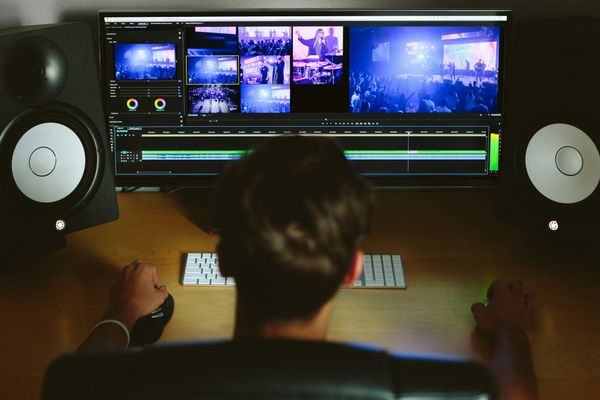
The magic happens in the editing process. Sync the streamer's reactions with the events in the GTA clip. This might involve timing a humorous reaction with an unexpected event in the game or syncing the streamer's dialogue with the game's action.
Step 5: Add Finishing Touches
Once your clips are perfectly synced, add finishing touches like text, effects, or music to enhance the overall impact. TikTok offers a range of built-in effects and music tracks to choose from.
Step 6: Optimize for TikTok
Before uploading, ensure your video is optimized for TikTok. This includes using the right aspect ratio (9:16), keeping the video duration appropriate (usually under 60 seconds), and adding relevant hashtags to increase visibility.
Best Practices for Clipping Content on TikTok
Respect Copyright and Fair Use
Always be mindful of copyright and fair use laws. Use content you have permission to use and give credit where it's due.
Understand Your Audience
Know what your audience enjoys. If your followers are predominantly gamers, they'll likely appreciate the humor and creativity in combining streamer and GTA content.
Keep It Short and Engaging
TikTok users generally prefer quick, engaging content. Keep your videos concise and to the point to maintain viewer interest.
Experiment and Analyze
Don't be afraid to experiment with different types of clips and editing styles. Use TikTok's analytics to understand what works best for your audience.
Engage with Your Audience
Engage with your followers by responding to comments and considering their feedback for future videos. This builds a community around your content.
Conclusion
Merging streamer clips with GTA gameplay on TikTok is not just about creating a video; it's about crafting an experience that resonates with viewers. It's a blend of creativity, humor, and strategic editing. By following these steps and best practices, you can create content that not only stands out on TikTok but also captivates and grows your audience. Remember, the key to success on TikTok lies in being original, respectful of copyright, and in tune with what your audience loves. Happy clipping!